
Burmese TV APK Parental Controls and Family Viewing Guide
Learn how families use Burmese TV APK responsibly with viewing habits, device settings, and supervision tips for family-friendly Myanmar TV watching.

Blog
Save mobile data while watching Burmese TV APK with practical tips on stream quality, Wi-Fi use, background data, and viewing habits.

Streaming television on a mobile connection can use a data plan quickly, especially during long news broadcasts or sports events. A few deliberate habits keep Burmese TV APK viewing affordable without giving up the programs you enjoy.
This guide collects the data-saving habits that make the biggest difference, from connection choices to playback settings. More performance help is available in our buffering fix guide.
The Burmese TV APK page brings together the download, the features and the latest version details in one place.
Live video uses far more data than browsing or messaging because every minute of playback downloads continuous video. Higher picture quality multiplies that usage.
A single hour of high-quality live television can consume more data than a full day of normal phone use, which is why planning matters on limited plans.
The simplest saving is moving long viewing sessions to Wi-Fi at home, work, or public hotspots you trust. Save mobile data for short checks and news updates.
Downloading nothing extra and planning big matches on Wi-Fi keeps the monthly bill predictable.
On a phone screen, a medium-quality stream looks nearly identical to the highest setting while using a fraction of the data. Reserve top quality for the big screen at home.
Where the player offers quality choices, step down one level on mobile data and compare.
Apps left running in the background can keep connections alive after you stop watching. Closing the app fully after each session prevents silent usage.
Android data settings also show exactly which apps used your data, which helps find unexpected drains.
Knowing your renewal date and remaining balance turns streaming into a planned expense instead of a surprise.
Families sharing one connection should agree who streams what on mobile data, as explained in the viewing habits section of this guide.
Usage depends mainly on stream quality and viewing length. High-quality live video can use around a gigabyte or more per hour, while lower quality settings use much less.
Yes. Dropping one quality level on a phone screen typically cuts data use sharply, and most viewers cannot see the difference on a small display.
For long sessions, yes. Wi-Fi avoids plan limits entirely, so save mobile data for short or urgent viewing.
Conclusion
Data saving with Burmese TV APK is mostly about habits: Wi-Fi for long sessions, sensible quality on mobile, and closing the app when you finish.
Apply these tips and your data plan lasts the month while your programs stay uninterrupted.
Download Burmese TV APKLearn how families use Burmese TV APK responsibly with viewing habits, device settings, and supervision tips for family-friendly Myanmar TV watching.

Improve Burmese TV APK picture quality with the right playback settings, display adjustments, and connection choices for phones, TVs, and Firestick.
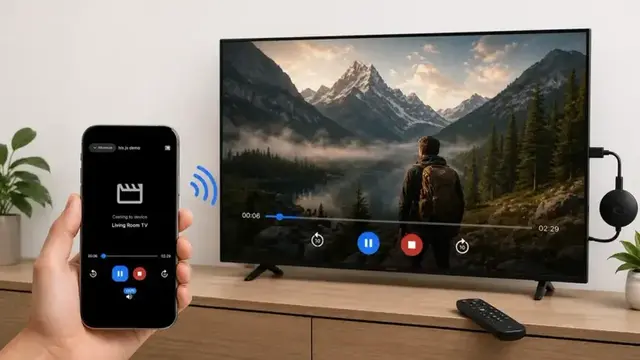
Cast Burmese TV APK from your phone to a smart TV with this step-by-step guide covering Chromecast, screen mirroring, and common casting fixes.