
Burmese TV APK Data Saving Tips for Smooth Streaming
Save mobile data while watching Burmese TV APK with practical tips on stream quality, Wi-Fi use, background data, and viewing habits.

Blog
Learn how families use Burmese TV APK responsibly with viewing habits, device settings, and supervision tips for family-friendly Myanmar TV watching.

Many households watch Burmese TV APK together, and family viewing works best when parents set simple ground rules for what children watch and when. For a full overview of the platform, start with the Burmese TV homepage.
This guide explains practical ways families organize viewing time, choose suitable programs, and use normal Android device settings alongside the app so television stays a shared, positive activity.
Television gives children access to news, drama, and entertainment made for adults as well as programs made for them. Clear household rules help parents keep viewing age-appropriate without checking every minute of every program.
Rules also protect sleep, homework, and family time, which are the first things unlimited streaming tends to push aside.
Entertainment and cultural programs are usually the safest starting point for shared viewing. Our entertainment programs guide explains the main categories families choose from.
Preview a program yourself before watching it with younger children, especially dramas and late-evening shows.
Android phones, tablets, and TV boxes include their own screen-time and app controls. Setting a device-level PIN and daily limits supports whatever rules you agree as a family.
On Android TV and Firestick, profile and purchase PINs stop children changing settings or installing other apps unsupervised.
Habits matter more than any single setting. Watching together, talking about programs, and mixing television with other activities keeps viewing balanced.
Agree a simple finish time for school nights and keep it consistent.
Before a family viewing session, a quick check of the program, the time, and the device settings prevents most problems.
If a channel or program turns out unsuitable, switch categories rather than ending the session entirely.
Use the device-level controls on your Android phone, TV, or Firestick together with household viewing rules. Choosing categories together and keeping the television in a shared room gives parents practical control over what children watch.
Cultural programs, family dramas, educational content, and weekend variety shows are the most common family choices. Preview new programs yourself first when children are young.
Most families do well with a fixed daily limit agreed in advance, shorter on school nights, with television balanced against homework, play, and sleep.
Conclusion
Burmese TV APK can be a genuinely family-friendly way to watch Myanmar television when parents combine suitable program choices, Android device controls, and simple household rules.
Set the rules once, review them occasionally, and family viewing stays relaxed for everyone.
Download Burmese TV APKSave mobile data while watching Burmese TV APK with practical tips on stream quality, Wi-Fi use, background data, and viewing habits.

Improve Burmese TV APK picture quality with the right playback settings, display adjustments, and connection choices for phones, TVs, and Firestick.
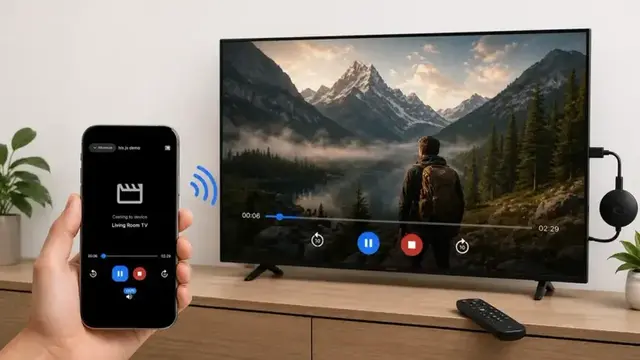
Cast Burmese TV APK from your phone to a smart TV with this step-by-step guide covering Chromecast, screen mirroring, and common casting fixes.