
Burmese TV APK Parental Controls and Family Viewing Guide
Learn how families use Burmese TV APK responsibly with viewing habits, device settings, and supervision tips for family-friendly Myanmar TV watching.

Blog
Improve Burmese TV APK picture quality with the right playback settings, display adjustments, and connection choices for phones, TVs, and Firestick.

A blurry or stuttering picture is rarely the app's fault alone. Playback settings, your television's picture mode, and connection speed all shape what you see on Burmese TV APK.
This guide walks through the adjustments that matter most, in the order worth trying them. If playback stops entirely rather than looking poor, start with our common errors and fixes guide instead.
For a complete overview of the platform, visit the Burmese TV official site.
Three things decide picture quality: the stream quality the player delivers, the speed and stability of your connection, and the display settings of the device showing it.
Improving the weakest of the three gives the biggest visible gain.
Match stream quality to your screen and connection. A phone on a modest connection looks best at a medium setting, while a large TV on fast Wi-Fi can use the highest.
If the picture keeps dropping to blur, your connection cannot sustain the selected level; step down once and let it stabilize.
On Android TV and Firestick, the television's own picture mode matters. Standard or Movie modes usually give more natural colors than Vivid, which oversaturates news and drama alike.
Turn off motion smoothing for sports if the ball leaves trails, and raise sharpness only slightly to avoid artificial edges.
On phones and tablets, raise screen brightness for daytime viewing and disable aggressive battery-saver modes, which can cap display and network performance.
Our battery and performance tips explain how power settings affect playback.
If settings are sensible and the picture is still poor, test another channel and another device. A problem on one channel only is usually the broadcast, not your setup.
Persistent problems on every channel point back to connection speed, covered in our internet speed guide.
Blurring usually means the stream dropped to a lower quality level because the connection could not sustain a higher one. Improve the connection or select a stable medium quality.
Standard or Movie mode with motion smoothing reduced usually gives the cleanest sports picture without trails or artificial sharpening.
Yes. Larger screens reveal compression more easily and are normally watched at higher quality settings, which need faster, steadier connections.
Conclusion
Good picture quality on Burmese TV APK comes from matching stream quality, connection, and display settings to each other instead of maximizing any single one.
Work through these adjustments once, and most viewing settles into a clear, stable picture.
Download Burmese TV APKLearn how families use Burmese TV APK responsibly with viewing habits, device settings, and supervision tips for family-friendly Myanmar TV watching.
Save mobile data while watching Burmese TV APK with practical tips on stream quality, Wi-Fi use, background data, and viewing habits.
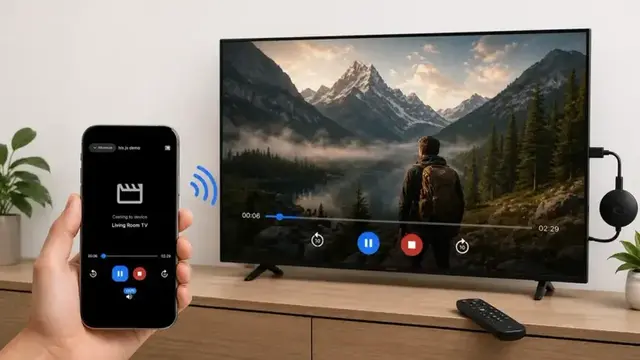
Cast Burmese TV APK from your phone to a smart TV with this step-by-step guide covering Chromecast, screen mirroring, and common casting fixes.